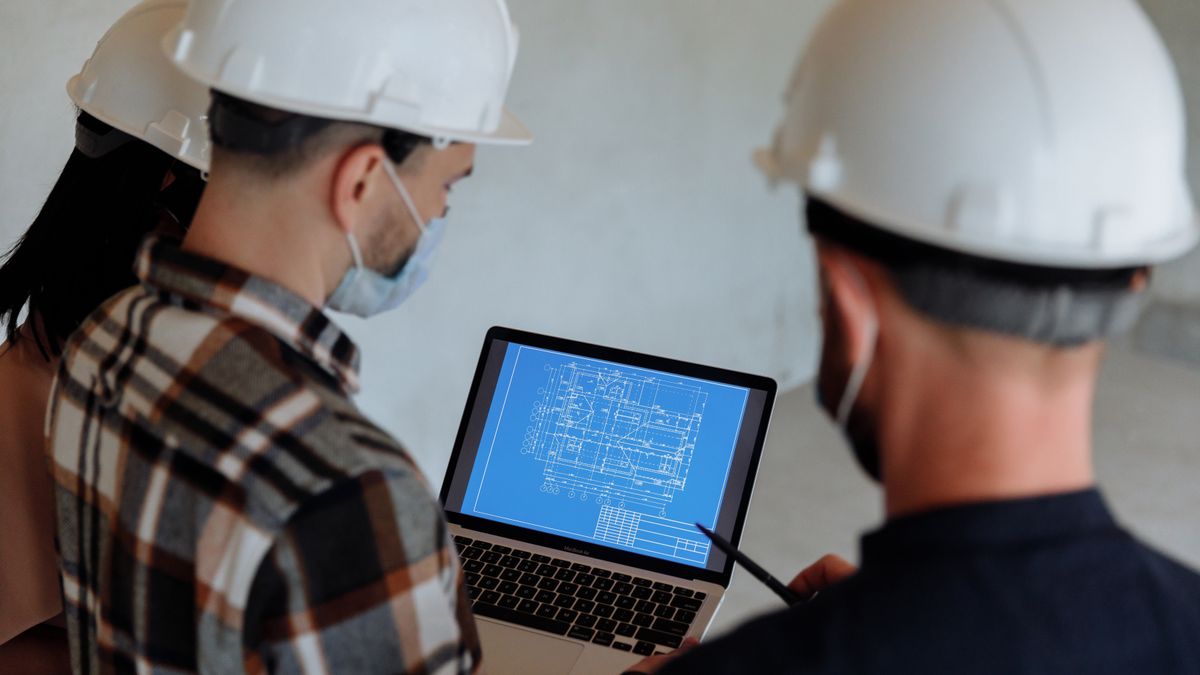
AI in construction comes with one advantage and one problem. The advantage: the sector produces a huge amount of information that almost nobody looks at twice, such as drawings, bills of quantities, daily site reports, delivery notes, site photos, meeting minutes and payment certificates. The problem: that information is scattered, in different formats and full of exceptions, and no site is like the previous one. That is why the projects that work don't start with "rolling out AI". They start by picking one specific point where time or money leaks, and checking whether the data you already have is enough to tackle it.
This guide is for developers, mid-sized contractors, renovation firms, engineering practices and site managers wondering what they can do with AI today without buying a giant platform. It covers four fronts (scheduling, cost control, safety and image-based progress tracking), what data each one needs, what not to expect, and how to set up a first pilot on a single site.
What can AI do on a construction site today?
It helps to separate three different capabilities, because they get mixed up a lot:
- Reading and organising documents: pulling quantities from measurements, matching delivery notes to orders, summarising minutes, finding a clause in a tender document. It is the most mature and the cheapest to try.
- Predicting from history: estimating schedule or cost deviations, anticipating which items will get more expensive, working out when a material will arrive. It works if there are comparable past projects that were properly recorded.
- Interpreting images: comparing site photos or video against the plan, spotting whether people are wearing helmets or an area is clear, measuring progress. It is powerful, but it demands discipline in how images are captured.
What it does not do is run the site. It doesn't replace the site manager or the safety officer, it doesn't sign a certificate, and it has no idea what is happening in a trench if nobody tells it. The good cases are the ones that take repetitive work off the team and let them decide with better information.
| Front | What it solves | Data it needs | Maturity for a mid-sized firm | |---|---|---|---| | Documents and measurements | Less typing, fewer transcription errors | Measurements, delivery notes, digitised contracts | High | | Scheduling | Delay alerts and assisted rescheduling | Activity-level schedule and real progress reports | Medium | | Cost control | Spot deviations before certification | Budget by item and costs booked to it | Medium-high | | Safety | Review of images and checklists | Photos or video with a fixed capture rule | Medium | | Progress from images | Compare what is built with what was planned | Periodic images from fixed points and drawings | Medium-low |
How does AI help schedule a construction project?
A site schedule breaks for very unmysterious reasons: a supplier runs late, a crew doesn't show up, rain stops a concrete pour, a client decision changes an item. AI doesn't remove those surprises; what it can do is spot earlier that they are coming and suggest how to reorder the work.
Two down-to-earth uses:
- Early deviation alerts. If the daily report says the masonry crew is working at 70 % of the planned output, a simple model can project the real finish date of that activity and flag which later activities get dragged along. You don't need a neural network: a well-measured rule is often enough. AI earns its place when many activities have to be cross-checked at once.
- Assisted rescheduling. Faced with a delay, the team lays out options (bring services forward, split a phase, reassign crews) and the system calculates the impact of each on the critical path. The decision stays human; what gets shorter is the time it takes to simulate.
What data is needed: the original schedule, progress reports with dates, and the reason for each delay. If the reasons are written as free text, different every time, they need normalising first. In practice, the most profitable task in a scheduling pilot is usually agreeing five or six delay causes and always recording them the same way.
Can you control construction costs with AI?
It is probably the case with the clearest return, because the money is already measured. The budget has items, purchases generate delivery notes and invoices, and the monthly certification compares planned against built. The problem is the lag: many deviations are only discovered once they have already been certified or invoiced.
What tends to work:
1. Automatic matching of delivery notes, orders and invoices. An extraction model reads the document, identifies supplier, site and budget item, and matches it to the order. Whatever doesn't match goes to a review queue; whatever does is booked untouched. It is the same thing done with document data extraction in administration, applied to site work. 2. Deviation detection by item. Continuously comparing booked cost with progress for each item. If concrete has used up 60 % of its budget and the structure is at 40 %, you want to know why before the month closes. 3. Price analysis. Spotting that the same material is bought at very different prices on two sites, or that a supplier has raised its rates without saying so. This is the ground covered by AI in procurement.
What data is needed: a budget structured by items with stable codes, costs booked to those same items, and one single rule for measuring progress. If cost is booked to "various" or to a generic item, no AI can fix the reading: the groundwork is data quality.
What does AI bring to site safety?
Extra caution is needed here. Occupational safety is the responsibility of specific people with legal duties, and no tool replaces them. That said, there are useful uses that cut workload and improve coverage:
- Image review. A vision model can review photos or video and flag cases such as people without a helmet or high-vis vest, materials stacked in walkways, or openings with no visible protection. It works as a second pair of eyes that never gets tired, not as a judge. A technician validates every alert.
- Incident and near-miss analysis. If they are recorded properly, AI helps find patterns: which task, which shift, which conditions. The value depends on near misses actually being logged, which is what almost never happens.
Two limits worth being clear about. First, images of people are personal data: before installing cameras or analysing photos you must define the purpose, inform workers, restrict access and retention, and check it with whoever handles data protection and, where applicable, with workers' representatives. Second, a system that raises too many false alerts ends up ignored: it is better to start with a single condition (the helmet, say) and measure how many alerts were right before widening the scope.
How do you measure site progress from images?
This is the most eye-catching case and the one most oversold, and the one that depends most on how photos are taken. The idea: capture the site periodically and compare it with the drawing or the model to estimate what has been built.
Two levels, from least to most demanding (a 3D model against the design only pays off on large, repetitive projects):
1. Dated photos from fixed points. This is the minimum. With them you can review progress over time, settle arguments about what was done when, and support a certification. AI sorts, tags by area and searches by content. 2. Comparison with the schedule. Images are aligned with areas of the drawing and the percentage built is estimated per area. It requires consistent capture: same routes, roughly the same time of day, good light.
The usual mistake is buying capture technology without defining who will use it. If nobody walks the site every week along the same route, the system is fed loose photos and the results can't be compared. Before talking about models, fix the protocol: who captures, when, from where and where it is stored. To understand what this kind of model can and can't do, it helps to read computer vision in business.
What data does a contractor need to get started?
The honest answer is that almost every firm has more than it thinks, but not in one place. Before choosing a case, do this inventory in an hour:
| Question | If the answer is "no", what happens | |---|---| | Do budget items have stable codes across projects? | Costs can't be compared between projects | | Are progress reports recorded with a date and by activity? | There is no basis for predicting schedules | | Are delivery notes and invoices stored digitally with the site identified? | Automatic matching loses half its value | | Do site photos have a date, area and author? | Progress can't be sorted or compared | | Is there a single place for current drawings? | Models will read obsolete versions | | Are incidents and near misses recorded consistently? | There are no patterns to find |
Two or three "no" answers are not an obstacle: they are the first job of the project, and often deliver value on their own even if a model is never built. If you want to go deeper, data before AI explains how to prioritise that clean-up.
How do you set up a first pilot without gambling with the site?
The principle is the same as in other sectors, with one particularity: a construction site is an environment where a mistake costs a lot and quickly, so the pilot must be about support, not automatic decisions.
1. Pick one site and one problem. For example, matching delivery notes on a development under way, or sorting and tagging the weekly photos of a full renovation. One site, one case. 2. Define how the result will be measured before you start. Admin hours spent today, number of deviations caught late, safety incidents recorded. Without a baseline there is no way to know whether it helped; the article on measuring AI ROI goes into it. 3. Keep a person in the loop. The site manager, the administrator or the safety officer validate what the system proposes. In the first weeks you measure how many proposals are accepted. 4. Integrate with what they already use. A pilot that forces people to open another app on their phone, on site, with gloves on and poor signal, dies in two weeks. Better to plug it into the email, the reports sheet or the management software they already use. 5. Decide at six to eight weeks. If the team uses it and saves time, extend it to the next site. If not, drop it without drama and learn why.
Frequently asked questions
Can AI replace a site manager or a safety officer?
No. It can take repetitive work off them (reading documents, sorting photos, flagging deviations), but the decision and the legal responsibility remain with people. Projects that promise otherwise tend to fail or breed distrust in the team.
Do you need a big investment to start with AI in construction?
Not necessarily. Document, delivery-note matching and photo-sorting cases can be tested with a limited pilot on one site, with no sensors or platforms to buy. The investment grows if you move to drone capture or 3D models, and there the volume of work needs to justify it.
Can you use site photos and video with workers in them without legal trouble?
Images in which people can be identified are personal data and require a defined purpose, prior information to workers, limited access and retention and, depending on the case, consultation with workers' representatives. The prudent move is to check with whoever handles data protection before capturing anything.
Where is the best place to start: scheduling, costs or safety?
Wherever your data is in the best shape. In many mid-sized contractors that is cost control, because budget and invoices are already digital. Safety and image-based progress usually need a capture protocol first.
Next step
If you are weighing up what to do with AI in your construction or engineering firm, the audit is the most sensible starting point: we go through with you what data you have, which case would pay off first and which wouldn't, with no obligation to buy anything afterwards. And if you would rather tell us your situation first, let's talk.
Shall we apply it to your case?
The 360° AI Audit turns these ideas into a concrete plan for your company: three weeks, fixed price and the full picture of your AI before spending a euro.
See the 360° Audit→ Let's talk↗